Best Work From Home Tech Setup USA 2026 — Complete Guide
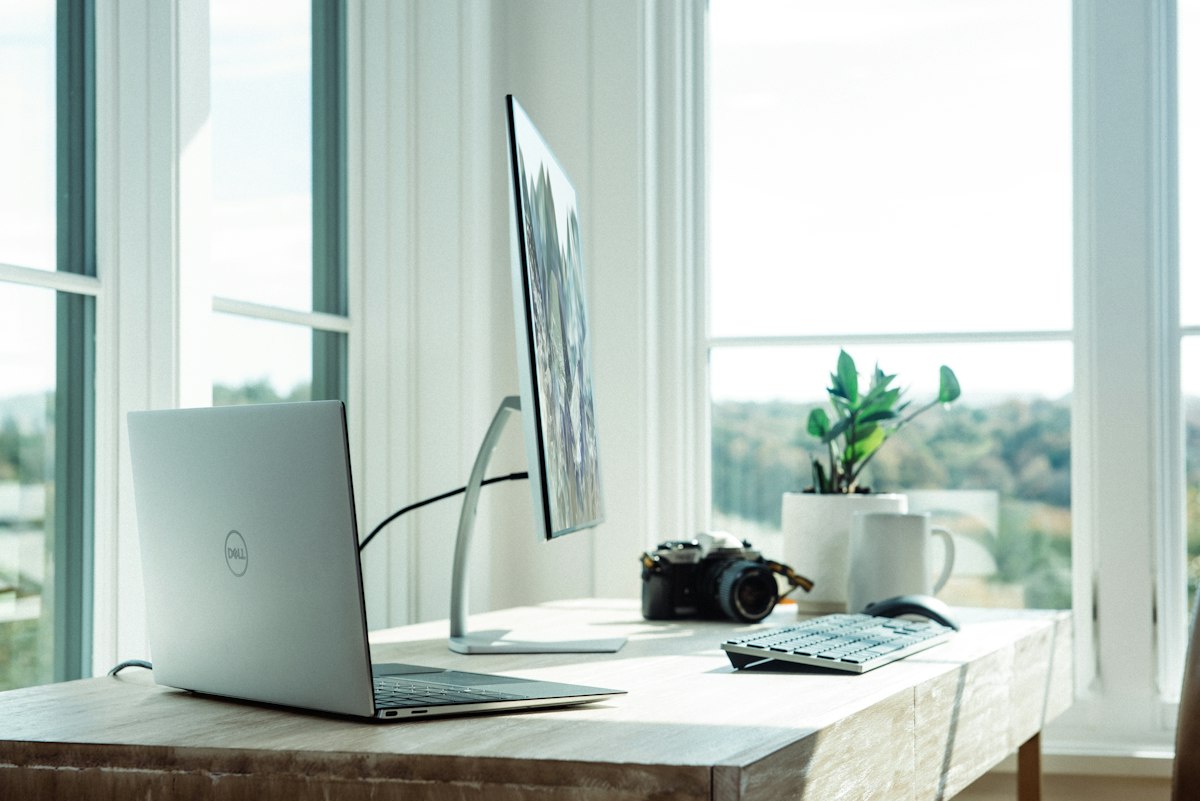
Quick Answer: The essential WFH tech setup in 2026 is: a 27-inch 1440p monitor ($200-350), a 1080p webcam ($80-150), noise-cancelling headset ($100-250), a standing desk ($300-600), ergonomic chair ($200-500), and gigabit internet. Budget $800-1,500 for a solid all-round setup.
Why This Matters in April 2026
Remote work is no longer a pandemic-era experiment — it’s the dominant working model for millions of Americans. The IEA recommended remote work during the 2026 oil supply concerns as a direct strategy to reduce fuel demand, cementing its status as mainstream infrastructure rather than a perk. The Philippines introduced a 4-day work week in 2026, part of a global shift in how knowledge work is organized.
AI tools have become essential infrastructure for remote productivity. Salesforce’s Slack added 30 new AI features in a single update — summarizing threads, drafting replies, automating routine communication. Video call quality is now a professional signal: a blurry, poorly lit webcam in 2026 is like showing up to a meeting in wrinkled clothes. Ergonomics have become a genuine health priority as the back pain epidemic tied to improper home setups drives doctor visits and lost productivity.
This guide covers every component of a productive WFH setup, at every budget.
Complete WFH Setup by Budget — 2026
| Component | $500 Setup | $1,000 Setup | $2,000+ Setup |
|---|---|---|---|
| Monitor | 24” 1080p IPS ($120) | 27” 1440p IPS ($250) | 27” 4K OLED ($600) |
| Webcam | Logitech C920 ($70) | Logitech Brio 4K ($150) | Elgato Facecam Pro ($200) |
| Headset | Jabra Evolve2 30 ($100) | Jabra Evolve2 65 ($220) | Bose 700 UC ($380) |
| Desk | IKEA LINNMON ($50) | Flexispot E2 standing ($350) | Uplift V2 standing ($650) |
| Chair | IKEA MARKUS ($230) | Autonomous ErgoChair Pro ($350) | Herman Miller Aeron ($1,400) |
| Internet | Cable 200Mbps ($50/mo) | Cable 500Mbps ($60/mo) | Fiber 1Gbps ($70/mo) |
| Lighting | Ring light ($30) | Elgato Key Light ($130) | Elgato Key Light Air 2-pack ($200) |
| Total est. | ~$600 | ~$1,350 | ~$3,400+ |
Prices are approximate US retail. Check retailers for current pricing.
The Must-Have Equipment — Ranked by Priority
1. Internet Connection — The Foundation of Everything
Nothing else matters if your internet drops during video calls. In 2026, the minimum for reliable WFH is:
- Download: 50Mbps+ (100Mbps+ if multiple people WFH in same household)
- Upload: 20Mbps+ (upload is critical for video calls — most people forget this)
- Latency: Under 30ms for video calls, under 10ms for real-time collaboration
- Stability: Consistent speeds, not burst speeds that drop
Fiber vs Cable for WFH:
| Factor | Fiber (Google Fiber, AT&T Fiber) | Cable (Xfinity, Spectrum) |
|---|---|---|
| Download speeds | 1Gbps+ | 200-940Mbps |
| Upload speeds | Symmetric (1Gbps up) | Asymmetric (20-50Mbps up) |
| Consistency | Very stable | Can fluctuate during peak hours |
| Availability | Limited (urban areas) | Widely available |
| Price | $60-80/month | $40-90/month |
Verdict: Fiber is significantly better for WFH, especially upload speed. If fiber is available in your area, it’s worth switching. If not, cable at 200Mbps+ with a quality router handles most WFH needs.
Router tip: Your ISP-provided router is usually mediocre. A quality mesh router (Eero Pro 6E, $200-300) dramatically improves reliability and coverage throughout your home.
2. Monitor — Your Primary Work Surface
Most laptop screens (13-15 inches) are too small for sustained productivity. Adding an external monitor is the single highest-ROI WFH upgrade.
Best monitors by tier 2026:
Budget ($100-200):
- Dell P2422H — 24”, 1080p IPS, excellent color accuracy, height-adjustable stand
- LG 24MP60G — 24”, 1080p IPS, good for general work
Mid-range ($200-400):
- LG 27UN850 — 27”, 4K IPS, USB-C (charges your laptop), excellent color
- Dell U2722D — 27”, 1440p IPS, USB-C hub, professional-grade color accuracy
- Samsung ViewFinity S7 — 27”, 4K, multiple USB ports, sleek design
Premium ($400+):
- LG 27EP950 — 27”, OLED 4K, reference-quality color (best for designers)
- Dell UltraSharp 27 4K USB-C — best all-rounder for power users
Key specs to prioritize:
- Resolution: 1440p is the sweet spot for 27” — sharper than 1080p without the GPU load of 4K
- Panel type: IPS for color accuracy (avoid TN panels for work)
- USB-C with power delivery: Charges your laptop and connects in one cable
- Adjustability: Height, tilt, swivel — ergonomics matter for 8-hour days
3. Webcam — Your Professional Presence
Laptop webcams in 2026 are better than they were in 2020, but still insufficient for professional video calls. A dedicated webcam makes an immediately visible difference.
Top webcams 2026:
| Webcam | Resolution | Price | Best For |
|---|---|---|---|
| Logitech C920x | 1080p/30fps | $70 | Best budget |
| Logitech C930e | 1080p/30fps, 90° FOV | $100 | Wider angle, business |
| Logitech Brio 4K | 4K/30fps, HDR | $150 | Best overall |
| Elgato Facecam Pro | 4K/60fps | $200 | Streamers and content creators |
| Opal C1 | 4K, Sony sensor | $300 | Premium quality |
Lighting matters as much as webcam quality: A $30 ring light makes a $70 webcam look better than a $200 webcam in poor lighting. Place your light source in front of you (between you and the screen, not behind you).
4. Headset — Clear Audio Both Ways
Audio quality on video calls is often more important than video quality — people tolerate a slightly blurry image far better than choppy, echoey audio.
Best WFH headsets 2026:
Budget ($50-120):
- Jabra Evolve2 30 ($100) — excellent microphone, comfortable, wired USB-C
- Poly Blackwire 3310 ($70) — solid audio, lightweight, UC certified
Mid-range ($120-300):
- Jabra Evolve2 65 ($220) — wireless Bluetooth, 37-hour battery, ANC
- Poly Voyager Focus 2 ($250) — hybrid ANC, comfortable for all-day wear
Premium ($300+):
- Bose 700 UC ($380) — best ANC available, excellent microphone
- Sony WH-1000XM6 ($400) — best consumer ANC headphones, UC certified version available
Key features for WFH:
- Active Noise Cancellation (ANC) — essential in shared or noisy homes
- UC certification — certified for Zoom, Teams, and Google Meet
- Boom microphone — picks up voice clearly, minimizes background noise
- Battery life (wireless): 30+ hours for all-day use without charging
5. Standing Desk — The Ergonomic Investment
Sitting 8 hours a day is now classified as a significant health risk. Standing desks let you alternate between sitting and standing throughout the day, reducing back pain, improving energy, and increasing focus.
Best standing desks 2026:
Budget standing desks ($200-400):
- Flexispot E2 ($350) — reliable electric motor, solid build, most popular budget option
- Vari Electric ($395) — fast assembly, good stability at standing height
Mid-range ($400-700):
- Uplift V2 ($650) — best warranty (15 years), excellent stability, highly customizable
- Autonomous SmartDesk Pro ($499) — solid motor, programmable height presets
Premium ($700+):
- Fully Jarvis ($800+) — excellent build quality, broad surface options
- Herman Miller Nevi ($1,200+) — office-grade build for serious investment
Must-have desk accessories:
- Cable management tray ($20-40) — keeps wires organized
- Monitor arm ($30-100) — frees desk space, improves ergonomics
- Anti-fatigue mat ($30-80) — essential for standing comfort
6. Ergonomic Chair — Protect Your Back
The back pain epidemic is real — and home office chairs are a significant contributor. A good ergonomic chair isn’t a luxury; it’s a medical investment that pays for itself in avoided chiropractor and doctor visits.
Ergonomic chairs by tier:
Budget ($150-300):
- IKEA MARKUS ($230) — surprisingly ergonomic for the price, lumbar support, durable
- HON Ignition 2.0 ($250) — commercial-grade, adjustable arms and lumbar
Mid-range ($300-600):
- Autonomous ErgoChair Pro ($349) — fully adjustable, breathable mesh back
- Steelcase Leap V2 (refurbished, $400-500) — one of the best chairs ever made, excellent used market
Premium ($600+):
- Herman Miller Aeron ($1,400 new, $400-700 refurbished) — the gold standard
- Steelcase Gesture ($1,600 new) — best for people who use tablets and phones at desk
Refurbished ergonomic chairs: Unlike consumer electronics, office chairs from Herman Miller and Steelcase last 15-20 years. Certified refurbished Aerons and Leaps at $400-700 offer premium ergonomics at mid-range prices. Check eBay, local liquidators, and officechairs.com.
AI Tools for Remote Productivity 2026
Salesforce’s 30 new AI features in Slack represent one piece of a much larger picture. The best remote workers in 2026 use AI tools to work faster than their in-office counterparts.
Essential AI productivity stack for remote workers:
| Tool | What It Does | Cost |
|---|---|---|
| Otter.ai | AI meeting transcription and summaries | Free tier / $16.99/mo |
| Notion AI | AI writing, summarizing, and organizing in your workspace | Free tier |
| Slack AI | Summarize threads, draft replies, search across history | Included in paid Slack |
| Zoom AI Companion | Meeting summaries, action items, smart recordings | Included in paid Zoom |
| Claude / ChatGPT | Writing, research, coding, analysis | Free tiers available |
| Loom | Async video messages replacing unnecessary meetings | Free tier |
| Linear / Jira | AI-assisted project management | Various pricing |
The async-first principle: The best remote teams in 2026 use AI tools to minimize synchronous meetings. AI meeting summaries (Otter, Zoom AI) mean fewer people need to attend. Loom async video messages replace status meetings. Slack AI thread summaries let people catch up without reading 200 messages.
Must-Have vs Nice-to-Have Equipment
Must-Have (buy these first):
- ✅ External monitor (biggest productivity boost per dollar)
- ✅ Quality headset with ANC (professional audio on calls)
- ✅ Reliable internet (500Mbps+, fiber if available)
- ✅ Ergonomic chair (back pain prevention)
- ✅ Decent webcam (1080p minimum)
Nice-to-Have (upgrade when budget allows):
- 💡 Standing desk (health benefits, but expensive)
- 💡 Ring light or key light (better video quality)
- 💡 USB-C hub or dock (reduces cable clutter)
- 💡 Mechanical keyboard (comfort and tactile feedback)
- 💡 Mesh router upgrade (better coverage, fewer drops)
- 💡 Second monitor (significant for developers and analysts)
Overkill for Most People:
- ❌ 4K monitor for text work (1440p is sufficient)
- ❌ $1,400 Herman Miller (refurbished Aeron at $500 is identical)
- ❌ $300+ webcam (Logitech Brio at $150 is enough for calls)
- ❌ 10Gbps internet (1Gbps fiber is ceiling for WFH needs)
Home Office Tax Deductions 2026
If you’re a freelancer, self-employed, or small business owner, your home office expenses may be tax-deductible. W-2 employees cannot deduct home office expenses under current tax law.
What’s deductible (self-employed/freelance):
- Home office space (percentage of rent/mortgage based on office square footage)
- Internet service (business percentage)
- Office equipment: monitors, keyboards, webcams, headsets
- Office furniture: desk, chair, lighting
- Software subscriptions used for work
Two methods:
- Simplified method: $5 per square foot of dedicated office space (max 300 sq ft = $1,500 deduction)
- Regular method: Calculate actual expenses as percentage of home used for work
Consult a tax professional for your specific situation — rules vary by state and business structure.
Top 5 Productivity Apps for Remote Workers 2026
- Notion — All-in-one workspace for notes, projects, wikis, and databases. AI writing built-in.
- Slack — Team communication with 30 new AI features for summarization and automation.
- Zoom — Video calls with AI Companion for meeting summaries and smart transcription.
- Loom — Async video messages for communication that doesn’t need a meeting.
- 1Password — Password management across all work accounts (business plan).
FAQs — WFH Tech Setup USA 2026
Q: What is the most important WFH purchase in 2026? A: An external monitor, if you’re working from a laptop. The productivity increase from a 27” 1440p screen vs. a 14” laptop screen is immediate and dramatic. At $200-350, it’s the highest ROI WFH upgrade available.
Q: Is fiber internet worth it for working from home? A: Yes, especially if your work involves frequent video calls, large file transfers, or cloud services. The symmetric upload speeds (1Gbps up, not just down) make a significant difference for video call quality and uploading large files. If fiber is available in your area at a comparable price to cable, switch.
Q: Do I need a standing desk to work from home? A: Not immediately, but it’s worth saving for. Alternating between sitting and standing reduces back pain, improves energy levels, and is associated with better long-term health outcomes for desk workers. Start with a good ergonomic chair first — it’s less expensive and addresses the immediate back pain risk.
Q: What is the best budget WFH setup under $500? A: Dell P2422H monitor ($150), Logitech C920 webcam ($70), Jabra Evolve2 30 headset ($100), IKEA MARKUS chair ($230), and use your existing desk. Total: ~$550. This covers the three most impactful items — monitor, audio, and ergonomic seating.
Q: How much internet speed do I need for video calls? A: Zoom, Teams, and Google Meet recommend 3-5Mbps download and 3-5Mbps upload for HD video calls. In practice, have at least 50Mbps down and 20Mbps up to handle calls alongside other internet usage. For households with multiple remote workers, 200Mbps+ is recommended.
Q: What AI tools are most useful for remote workers in 2026? A: Otter.ai for meeting transcription, Notion AI for writing and organizing, Zoom AI Companion for meeting summaries, and Claude or ChatGPT for research, writing, and analysis. Salesforce’s Slack with 30 new AI features is transforming team communication for companies using Slack.
Q: Is a ring light worth buying for video calls? A: Yes, at $20-40, a ring light is the cheapest most visible upgrade to your video call presence. Place it directly in front of you (between you and the screen) for even, flattering illumination. A $30 ring light makes a $70 webcam look significantly more professional.
Q: Should I buy a Herman Miller Aeron or is it overkill? A: A new Herman Miller Aeron ($1,400) is hard to justify for most budgets. A certified refurbished Aeron ($400-700) is excellent value — the chair lasts 15-20 years and is mechanically identical to new. If budget is a constraint, the IKEA MARKUS ($230) and Autonomous ErgoChair Pro ($349) are genuinely good ergonomic alternatives.
Q: Can I deduct WFH equipment on my taxes in 2026? A: Self-employed workers and freelancers can deduct qualifying home office expenses. W-2 employees cannot deduct unreimbursed business expenses under current federal tax law (the TCJA eliminated this through 2025, and the rules have not changed as of April 2026). Check your state tax rules — some states allow deductions that the federal code doesn’t.
Q: What is the Philippines 4-day work week and does it apply to US remote workers? A: The Philippines introduced a 4-day work week policy in 2026 for government workers as a productivity and wellbeing initiative. It doesn’t directly apply to US workers, but it reflects a global movement toward flexible work structures. Several US companies have adopted voluntary 4-day weeks — a trend accelerated by AI tools improving per-hour productivity.
Related Articles
- Best Laptops Under $1000 USA 2026
- Best Password Managers USA 2026
- How to Make Money with AI in USA 2026
Use our Discount Calculator to compare prices and find the best deals on WFH equipment across retailers.
Tags:
Share this article: